
Settings
Every setting explained – from theme and language to drives, terminal and the recovery tools. Open the settings with the gear at the bottom of the sidebar.
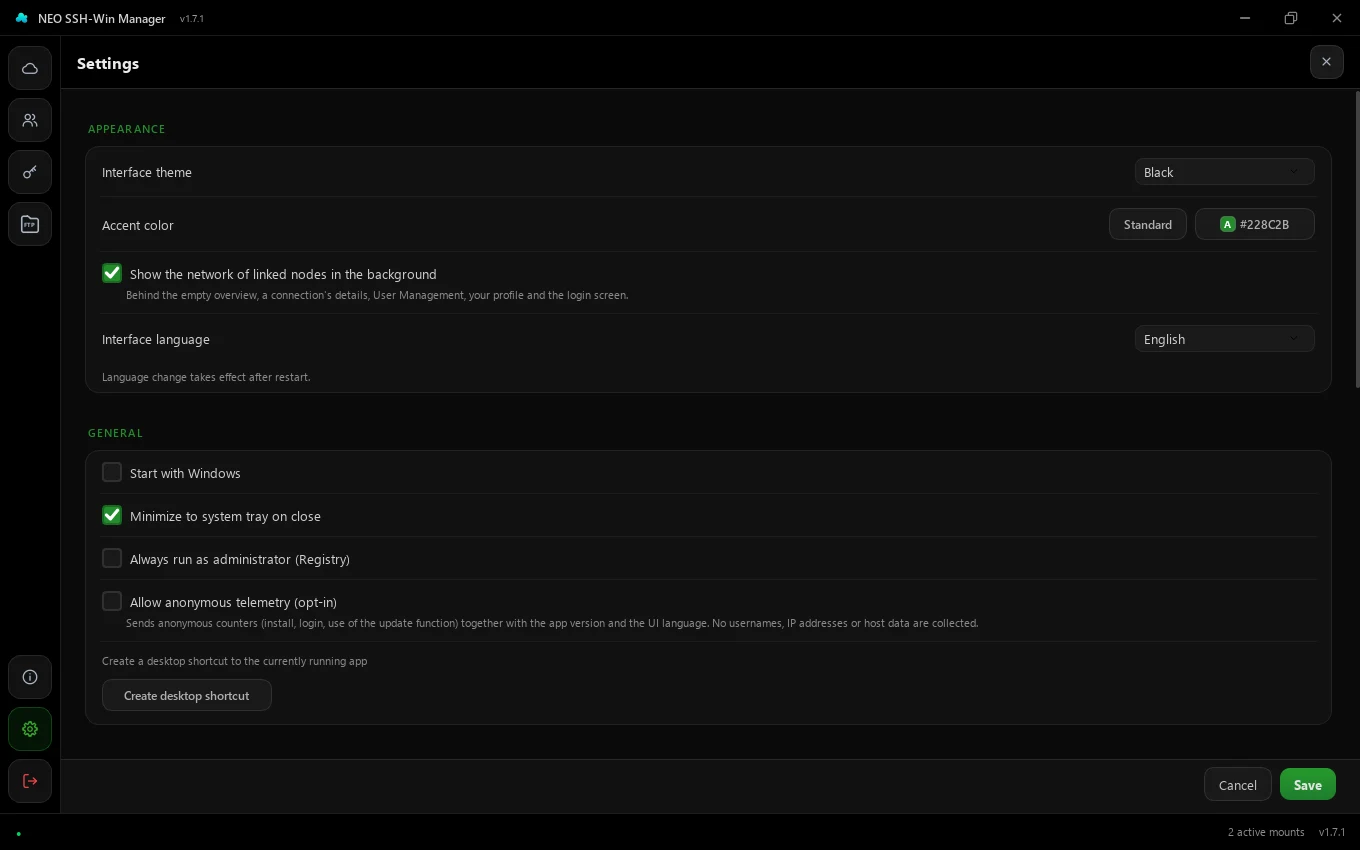
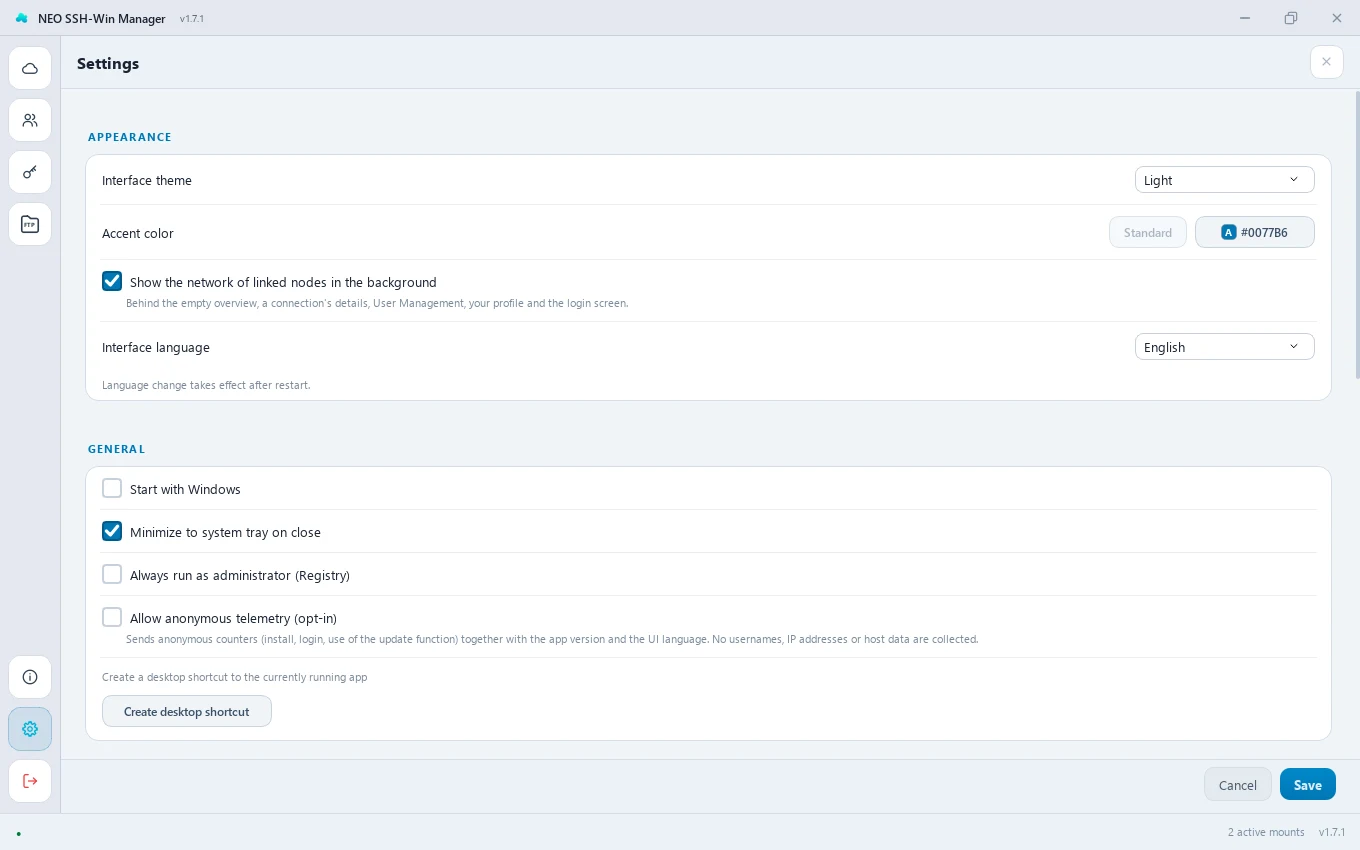
Settings are per account: everyone has their own theme, language and options. Click Save to store them; if you leave the page with unsaved changes, the app asks first.
Appearance
Interface theme
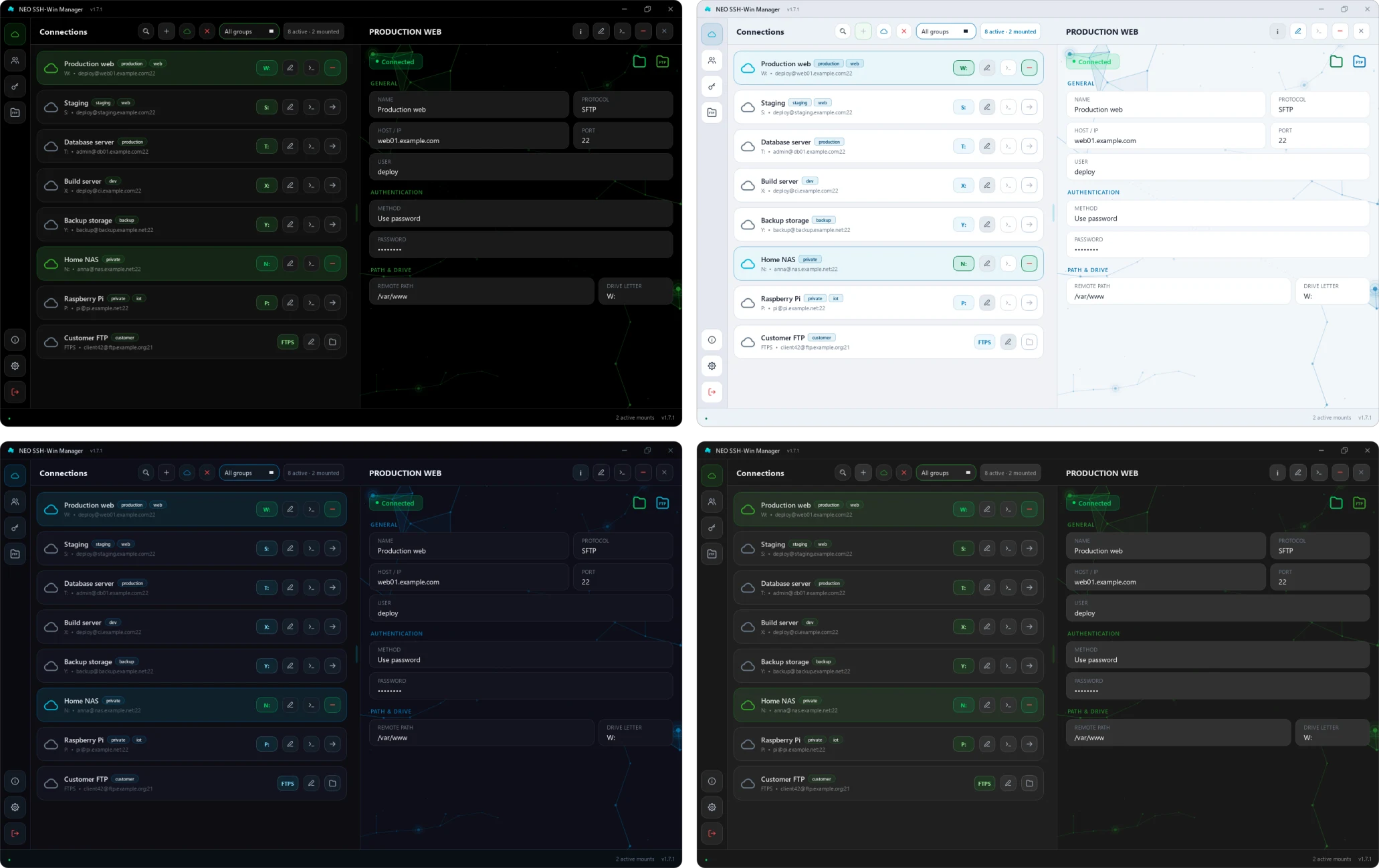
Black is a classic dark mode in plain black and gray, Blue (classic) the previous dark theme with blue tones, Gray a neutral gray like VS Code and Light a light theme. The change takes effect as soon as you save. If you used “Dark” before, you now have Black.
Default: the choice in the installer, otherwise Black
Accent color
The colour of buttons, selections, progress bars and highlights. Clicking the colour field opens the picker with a colour area, hue bar, suggestions and a HEX field; the app previews the colour live while you pick. Standard restores the original blue #0077b6.
Default: Standard (#0077b6)
Text on the accent color
The colour picker also sets the text colour on accent-filled buttons: Automatic, White, Black or a custom colour, with a preview. “Automatic” takes white as long as it reads well on the colour (blue, violet, red, pink) and otherwise the colour with the higher contrast – bright accents such as orange, vivid green or yellow get dark text that way. Beside “Automatic” it says which one the app picks right now. The colour field in the settings shows an “A” in the text colour.
Default: Automatic
Background network
Turns the network of linked nodes behind the empty overview, a connection's details, user management, the profile and the login screen on or off. Every page and every connection has its own pattern; it runs behind the cards and fades towards the middle.
Default: on
Interface language
German, English, Spanish, Russian, Dutch or Arabic (Arabic mirrors the interface right to left). The new language applies after a restart. You can also switch the language right on the login screen.
Default: the choice in the installer
General
Start with Windows
Starts the app when you sign in to Windows. The installer offers this too.
Default: off
Minimize to system tray on close
The X only closes the window; the app keeps running in the notification area and keeps the drives. Quit from the tray menu or the logout button.
Default: on
Always run as administrator
Records in the registry that Windows always starts the app with administrator rights. Only needed if your environment requires it – drives mounted as administrator may not be visible to a normally started Explorer.
Default: off
Anonymous telemetry
A voluntary “census”: an anonymous counter on installation, sign-in and use of the update function, plus app version and language. No user names, no IP addresses, no server data. The app asks at the first start; change your decision here at any time.
Default: off until you agree
Create desktop shortcut
Puts a shortcut to the EXE that is running right now on the desktop. If you move the EXE later, the shortcut stops working.
Updates
Check for updates
Asks GitHub right away for a newer version. If there is one, the app downloads the installer; it runs at the next start – or right away with “Restart and install now”.
Mount status
Check interval
How often (in seconds, 5–300) the app checks whether the drives are still connected. The round − and + buttons change the value, holding one keeps counting; you can also type the number. Shorter intervals notice drops sooner but cause more load.
Default: 30 seconds
Auto-connect on start
When the app starts, mounts the drives again that were connected when it was last closed.
Auto-reconnect on connection loss
If a connection drops – say after sleep or a Wi-Fi change – the app mounts the drive again by itself.
Default: on
Disable directory cache
Forces WinFsp to always fetch file and folder data fresh from the server. Helps when new files show up on the drive only after a delay (e.g. because others write on the server), but increases network load.
Default: off
Allow the same drive letter for several hosts
Several hosts may have the same letter; only one of them is mounted at a time. If the letter is taken when mounting, the app suggests a free one.
Default: off
Pick a free letter automatically when it is taken
Instead of asking, the app mounts the host on a random free letter; its configured letter stays as it is. Only together with the option above.
Default: off
SSH terminal
SSH terminal client
Integrated terminal (xterm) runs in the window, with several sessions as tabs and automatic sign-in. Native SSH (ssh.exe) opens Windows OpenSSH in a window of its own. PuTTY starts PuTTY; the connection form then shows the field for the PuTTY key.
Default: Integrated terminal
Path to putty.exe
PuTTY only: where putty.exe is. A link leads to the download on putty.org.
Default: C:\Program Files\PuTTY\putty.exe
Handling SSH logins
External terminals only (ssh.exe, PuTTY). 0 – Ask for password lets the terminal ask for the password. 1 – Auto-login with password signs in with the stored password; the password is then briefly visible in the Windows process list – only turn it on if you understand the risk. The integrated terminal always signs in automatically and safely.
Default: 0 – Ask for password
Developer
Debug mode
Shows a debug button in the sidebar with the app's live log and reveals the tools below. Mounted hosts can also be edited (with a warning). Helpful for troubleshooting; leave it off day to day.
Default: off
Tools & recovery
Only visible with debug mode on.
Fix ghost drives
Cleans up drives that Windows still shows although they are no longer connected (e.g. after a crash), and restarts Explorer.
Restart Explorer
Restarts Windows Explorer – helps when a drive hangs in Explorer or does not show up.
Where the data lives
Connections, settings and accounts are kept in %APPDATA%\SSHWinManager\data.db, with passwords encrypted. In single-user mode the app password lives in Windows Credential Manager. More under How your data is protected.